Ecommerce Bookkeeping 101: Track Profit, Not Just Sales
Tracking sales isn't the same as tracking profit. Most ecommerce bookkeeping fails because revenue, COGS, fees, shipping, and ad spend live in six different systems that never sync. Here's how to record each one correctly — and what happens when manual reconciliation breaks down at scale.

Most ecommerce sellers start bookkeeping the same way: they connect Shopify to a spreadsheet, record what came in, and call it done. The spreadsheet shows sales. Month after month, the sales column grows. The business looks healthy. Then the bank account doesn't reflect any of it, and nobody can explain why.
The reason is almost always the same: tracking sales isn't the same as tracking profit. Sales tell you what customers paid you. Profit tells you what you kept after paying for everything it took to make those sales happen. The gap between the two — product costs, platform fees, shipping, ad spend, chargebacks — is where most ecommerce bookkeeping falls apart, because each of those costs lives in a different system and none of them sync to your sales records automatically.
This guide covers ecommerce bookkeeping from the ground up: what needs to be recorded, where each cost lives, how to handle the entries that trip most sellers up, and when manual bookkeeping becomes the liability rather than the solution.
What Ecommerce Bookkeeping Actually Requires
Standard bookkeeping records income and expenses. Ecommerce bookkeeping records income and expenses from at least six different sources that don't talk to each other:
- Revenue → Shopify dashboard
- COGS (product costs) → Supplier invoices or purchase orders
- Payment processing fees → Shopify Payments payout reports or gateway statements
- Shipping costs → Carrier accounts or 3PL invoices
- Platform and app fees → Shopify subscription, individual app billing
- Advertising spend → Meta Ads Manager, Google Ads, TikTok
A bookkeeper working only from your bank statements sees net deposits — Shopify payouts that have already had fees deducted — and advertising charges. They don't see your COGS unless you give them the invoices. They don't see the individual breakdown of fees versus revenue in each Shopify payout. The result is books that are technically accurate from a banking perspective and completely useless for understanding whether the business is profitable.
Ecommerce bookkeeping done correctly means pulling all six sources together and recording them in a way that produces a meaningful profit picture — not just a revenue record.
The Foundation: Cash vs Accrual Accounting
Before recording anything, you need to decide which accounting method to use.
Cash basis accounting records revenue when money is received and expenses when they're paid. Simple, intuitive, and what most small sellers start with. A sale is recorded when the Shopify payout clears your bank. An ad invoice is recorded when Meta charges your card.
Accrual accounting records revenue when it's earned (when the order is placed, not when the money arrives) and expenses when they're incurred (when an ad runs, not when the invoice is paid). More accurate for understanding profitability in a given period, required for businesses above certain revenue thresholds, and the standard for any store working with investors or preparing for acquisition.
For most early-stage Shopify stores, cash basis is the practical starting point. Switch to accrual when you're working with an accountant preparing formal financial statements, approaching $1M in revenue, or planning to raise funding or sell the business.
The Six Bookkeeping Entries Every Ecommerce Seller Must Get Right
1. Revenue: Gross Sales, Not Shopify Payouts
The most common ecommerce bookkeeping mistake is recording Shopify payout amounts as revenue. Shopify payouts are net figures — they've already had fees, refunds, and chargebacks deducted. Recording a payout as revenue means your books never show gross revenue, refunds as a separate line, or fees as an expense. It makes every margin calculation downstream wrong.
Record it correctly:
- Revenue: gross order value (what customers paid, before any deductions)
- Refunds: as a separate contra-revenue line (reducing net revenue)
- Discounts: as a separate contra-revenue line
- Payment processing fees: as an expense
The gross sale amount should appear in your income, the refund and discount in contra-revenue accounts, and the Shopify fee in an expense account. The payout amount is just the cash deposit — the underlying transactions need to be recorded individually, not as a lump sum.
In practice: Shopify's Finance Summary report shows gross sales, refunds, discounts, Shopify fees, and net payouts as separate line items. Use that report — not your bank statement — as the source for revenue entries.
2. COGS: The Cost of What You Sold
Cost of goods sold is what you paid your supplier for the units you actually sold in a period — not what you ordered, and not what sits in inventory. This distinction matters for accrual accounting and for any business carrying inventory.
What belongs in COGS:
- Supplier invoice cost per unit (your product cost)
- Inbound shipping from supplier to your warehouse or fulfilment centre
- Import duties and customs fees
- Packaging materials directly tied to the product
What doesn't belong in COGS:
- Ad spend (operating expense)
- Shopify subscription (operating expense)
- Outbound shipping to customers (some sellers include this in COGS, others in operating expenses — pick one and apply it consistently)
For dropshippers and POD sellers, COGS is cleaner: you pay your supplier per order, so COGS is simply what you paid per fulfilled order. There's no inventory holding to track. Record each supplier payout or invoice charge as COGS as it occurs.
For inventory-holding stores, COGS is the cost of units sold in the period — not units purchased. If you bought 100 units at $8 each in January and sold 60 in January and 40 in February, January's COGS is $480 (60 × $8), not $800.
3. Shipping Costs: Outbound Fulfilment
Outbound shipping — what you pay to deliver orders to customers — is either a COGS item or an operating expense, depending on how your chart of accounts is structured. The critical thing is consistency: don't put it in COGS one month and operating expenses the next.
For Shopify sellers using Shopify Shipping, outbound shipping costs appear in the Shopify billing section. For sellers using external carriers (ShipStation, Pirate Ship, EasyPost), they appear on the carrier billing statement. Either way, they need to be pulled and recorded — they don't appear in the Shopify revenue report.
The shipping revenue complication: If you charge customers for shipping, that shipping revenue appears in your gross sales. Your actual carrier cost may differ from what you charged. The P&L shows both: shipping income (part of revenue) and shipping expense (cost). If you offer free shipping, 100% of carrier cost is yours.
4. Payment Processing Fees: Per-Transaction Costs
Payment processing fees are charged by Shopify Payments (or your gateway) on every transaction and deducted before each payout. On Shopify Basic, that's 2.9% + 30¢ per order.
The accounting treatment: Processing fees are an operating expense (or sometimes classified in COGS as a cost of sale, depending on your accountant). They should appear as a separate expense line — not netted against revenue — so your gross margin calculation is accurate.
How to find the numbers: Shopify's Finance Summary report shows total processing fees for the period. More granular data (per-transaction fees) is available in the Shopify Payments payouts export. For the monthly P&L, the summary total is usually sufficient.
The premium card and international surcharge: If you process a significant volume of Amex, corporate, or international cards, your blended processing rate is higher than the headline plan rate. Check your actual blended rate in the Shopify Payments dashboard rather than assuming the standard rate applies to all transactions.
5. Platform and App Fees: Fixed Operating Costs
Your Shopify subscription, app subscriptions, and any platform fees are operating expenses that recur monthly. They're usually the simplest entries to make — the amount is fixed and the billing is predictable. The complication is that they arrive on different invoices and different dates.
Shopify subscription: Charged on your billing cycle, appears on your Shopify billing invoice.
App subscriptions: Each app bills separately — often on its own cycle, often to a different card. The most common bookkeeping error here is letting app subscriptions accumulate unchecked. Quarterly audits of active app subscriptions prevent paying for tools you've stopped using.
The per-order impact: Fixed monthly platform costs need to be tracked at the business level, not per order. But for margin analysis, dividing monthly platform costs by order volume gives you the per-order overhead burden — useful for understanding true net margin per sale.
6. Advertising Spend: Variable Operating Costs
Ad spend is typically your largest variable operating expense and the one most disconnected from Shopify's reporting. Meta, Google, and TikTok each invoice separately, on different billing cycles, through different payment methods.
The bookkeeping entry: Record each ad platform invoice as an operating expense when paid (cash basis) or when the spend occurred (accrual). Categorise by platform — "Meta Ads," "Google Ads," "TikTok Ads" — rather than lumping everything into "advertising" so you can evaluate channel-level ROI.
The attribution challenge: Ad spend appears as an operating expense in your books. The revenue it generated is recorded as gross sales. Your P&L shows both — but doesn't automatically connect spend to the orders it drove. That connection lives in your ad platform's attribution reporting and in your average CAC calculation, not in the bookkeeping system itself.
Recording Refunds and Chargebacks
Refunds and chargebacks reduce revenue — but they also carry costs that bookkeeping systems routinely undercount.
Refunds
When a customer returns an order, you refund the sale price. In your books:
- Debit the refund amount from revenue (contra-revenue entry)
- The original processing fee typically stays as an expense (most processors don't refund it)
- If the product is returned in resaleable condition, reverse the COGS entry (the unit goes back to inventory). If it's not resaleable, COGS stays — the write-off is a cost of the return.
Chargebacks
Chargebacks are more complex than refunds because they carry an additional fee. When a chargeback occurs:
- Shopify deducts the disputed amount plus a $15 fee (US) from your next payout
- The original sale should be reversed in revenue
- The $15 chargeback fee is an operating expense
- The original processing fee on that transaction is typically non-recoverable — it stays as an expense
Many bookkeepers record chargebacks as simply a revenue reduction. The $15 fee, the original processing fee, and the COGS on the product that was already shipped don't show up unless explicitly recorded. This understates the true cost of each chargeback on your books.
Handling Tax: Sales Tax Is a Liability, Not Revenue
Sales tax collected from customers is never your revenue. It's a trust fund balance you hold temporarily before remitting to the state. Record it correctly from the start:
- Debit the sales tax portion of each order to a sales tax payable liability account, not to revenue
- When you remit to the state, debit the liability account and credit cash
If you record sales tax as revenue and then "expense" the remittance, your gross revenue is overstated in every period and your margin appears lower than it is. The correct treatment keeps sales tax out of the income statement entirely.
Month-End Close: The Checklist
A simple month-end routine that keeps ecommerce books accurate:
- Export Shopify Finance Summary — capture gross sales, refunds, discounts, fees, and payout totals
- Pull supplier invoices — reconcile COGS against units sold or fulfilment orders placed
- Export shipping carrier statements — record outbound shipping costs
- Download ad platform spend reports — Meta, Google, TikTok; categorise by platform
- Reconcile app billing — review all app invoices; cancel any no-longer-used apps
- Record chargebacks and refunds — check payout deductions for dispute fees
- Check sales tax payable — ensure collected taxes are recorded as a liability, not revenue
- Reconcile bank — verify the sum of all entries matches your actual bank deposits
This checklist takes 2–4 hours for a store doing 100–200 orders a month. At 500+ orders, pulling and reconciling six data sources manually takes half a day or longer — and error risk grows with every additional data point.
When Manual Bookkeeping Breaks
Manual ecommerce bookkeeping works until it doesn't. Three signs you've hit the wall:
Your monthly close takes more than a day. At that point, the time cost of manual reconciliation is likely exceeding the cost of automation. You're also accumulating months of reconciliation risk — one export error in a Shopify report or an unrecorded supplier invoice can cascade through your books.
Your P&L doesn't match what you feel like you're making. The most common cause is a bookkeeping gap — a cost category that's being missed, a refund that was entered incorrectly, or COGS that hasn't been updated to reflect current supplier prices. Manual books at scale almost always have one of these.
You're making pricing decisions on stale cost data. If your COGS field in Shopify hasn't been updated in three months, every margin calculation you've run in that period has been wrong. A supplier price change that never made it into the books means your gross margin has been overstated on every unit sold since the change.
From Manual Bookkeeping to Real-Time Profit Clarity
Formal bookkeeping — producing a P&L your accountant can sign off on — is still best handled by a bookkeeper or accounting software like QuickBooks or Xero with properly configured Shopify integration. That's the source of truth for your year-end accounts, tax filing, and any formal reporting.
What bookkeeping doesn't give you is real-time profit clarity at the order level — knowing on a Monday morning what last week's orders actually earned after every cost. By the time your monthly P&L is ready, the decisions that could have been influenced by that data have already been made.
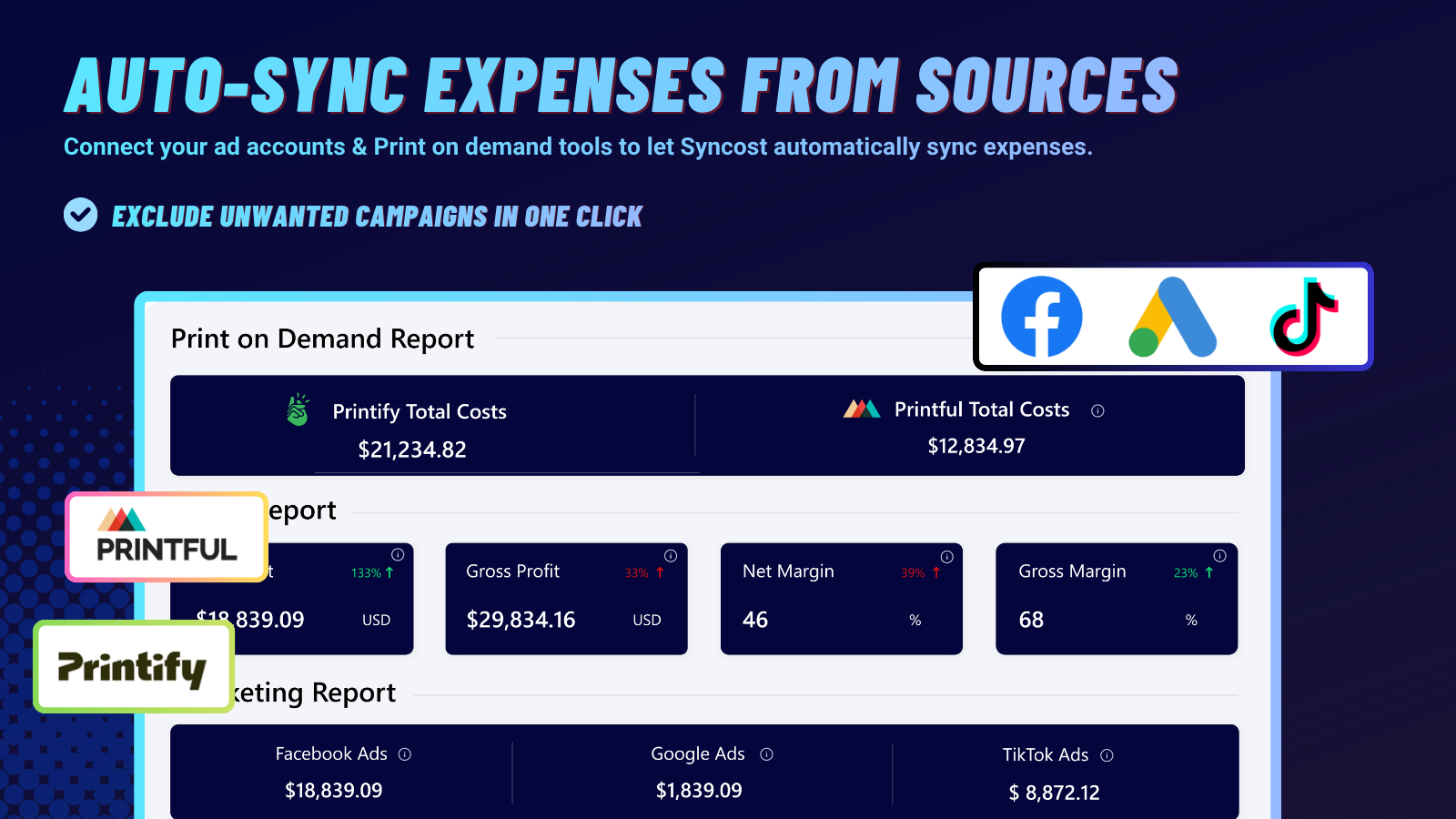
That's the gap Syncost is built for. It automatically combines your product costs, Shopify fees, shipping, and ad spend into a per-order profit view — so instead of waiting for month-end reconciliation to understand whether the business is profitable, you see it on every order as it happens. When a supplier cost changes, it appears in your order-level margin immediately. When ad spend rises, you see the CAC impact in real time. The formal books your accountant produces tell you what happened. Syncost tells you what's happening — so you can act on it before it becomes a problem rather than after.
This guide is for general informational purposes and does not constitute accounting or tax advice. Ecommerce bookkeeping requirements vary by jurisdiction, business structure, and revenue level. Consult a qualified accountant for guidance specific to your business.